






Parental Control is a system that allows Contract Holders to manage and monitor the use of their children’s devices in order to ensure safe browsing.
Under delibera 9/23/CONS (the “Resolution”), the Italian Communications Authority required Operators to include and activate Parental Control Systems in offers dedicated to minors. On all other offers, Parental Control must be made available as an option that the user can activate.
In compliance with the Resolution, INTRED has preconfigured a free Parental Control system, which the Customer can activate at any time by following the procedure set out below. Activating the Service will automatically block all eight categories of websites listed in the resolution of the Italian Communications Authority. The Customer may request deactivation of the service at any time and, consequently, the unblocking of all previously blocked categories.
How to activate Parental Control
The Home Page of your My Intred customer area includes a section dedicated to Parental Control. Clicking on this section opens a window with the “Attiva” (Activate) button and the current status of the service (“attivo” – active, “in lavorazione” – in progress, “non attivo” – not active).
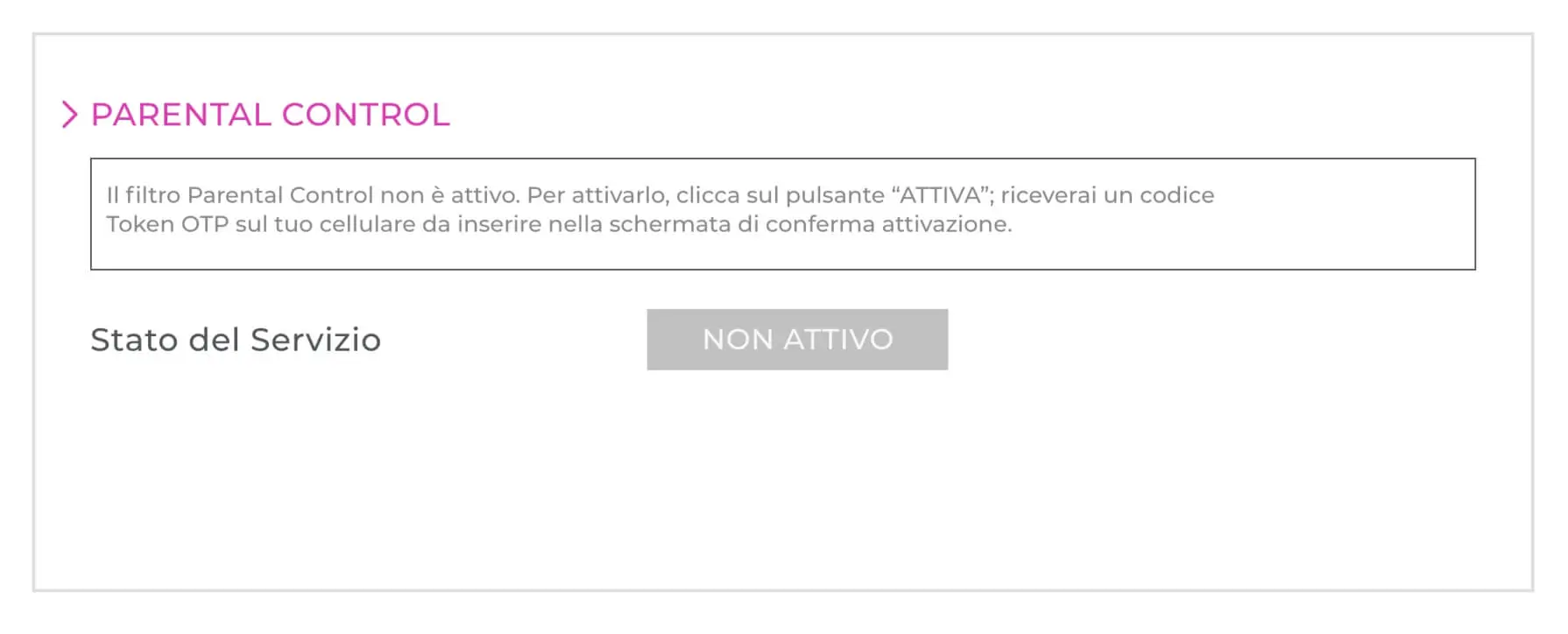
Clicking the “Attiva” (Activate) button will automatically generate an OTP code, which will be sent by SMS to the number the Customer provided when signing the contract. A new window will open in which the Customer must enter the OTP code.
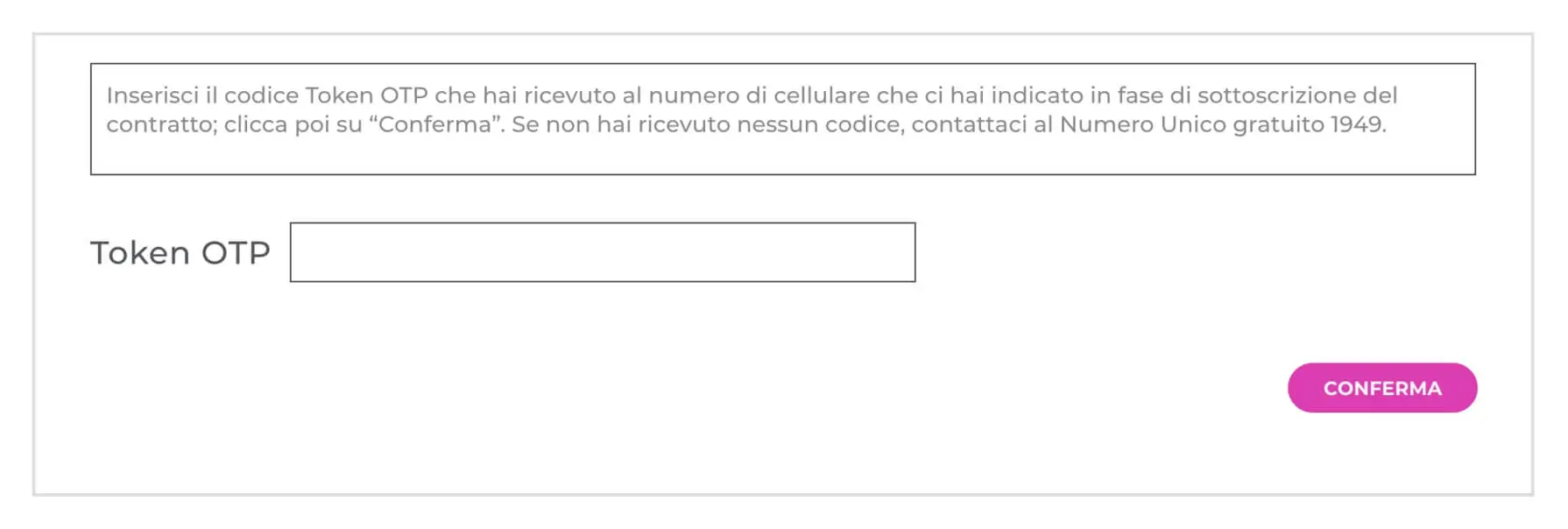
Once the Customer’s identity has been verified, the system will automatically open a ticket, which INTRED’s technical department will handle and process as quickly as possible, depending on the technological capacity available. In the section dedicated to Parental Control, the Customer can always monitor the progress of their request.

Once Parental Control has been activated, the Customer can deactivate the system at any time by logging in to their customer area and following the same procedure used for activation.
Notwithstanding the above, please note that the Customer can independently check whether further Parental Control solutions designed by the manufacturers of their devices are available by going to the “settings” section. Please be aware that any changes to the configuration of the Customer’s own router and/or devices could compromise the effectiveness of the System.