





BUTTON FUNCTIONS
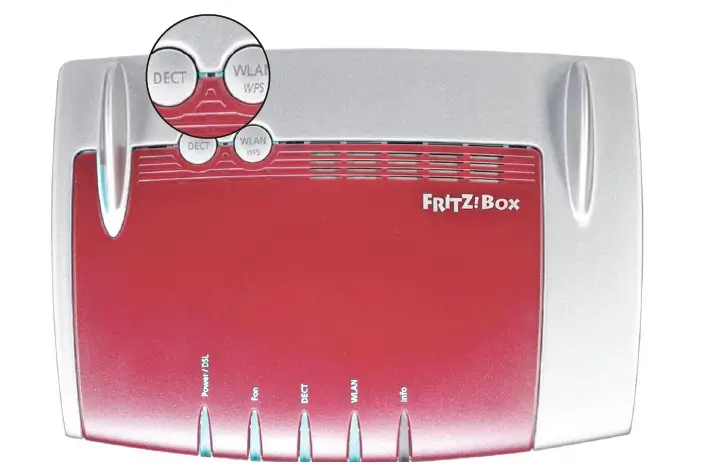
FRONT:
- DECT: not enabled.
- WLAN-WPS: press briefly to switch the Wireless network on/off. Press and hold until the WLAN LED flashes to create a connection with WPS.
LED | STATUS | MEANING |
Power/DSL | On | Power available and line present |
Power/DSL | Flashing | Power available and no line |
Fon | On | VoIP line present |
WLAN | On | The Wireless network is active |
WLAN | Flashing |
|
Info | Does not work with Intred lines | |
DECT | Does not work with Intred lines |
WARNINGS
- To use the router, use the power supply provided or a device compatible with the electrical specifications of the unit.
- NEVER restore the router to factory settings with a reset. Doing so could mean the router has to be replaced.
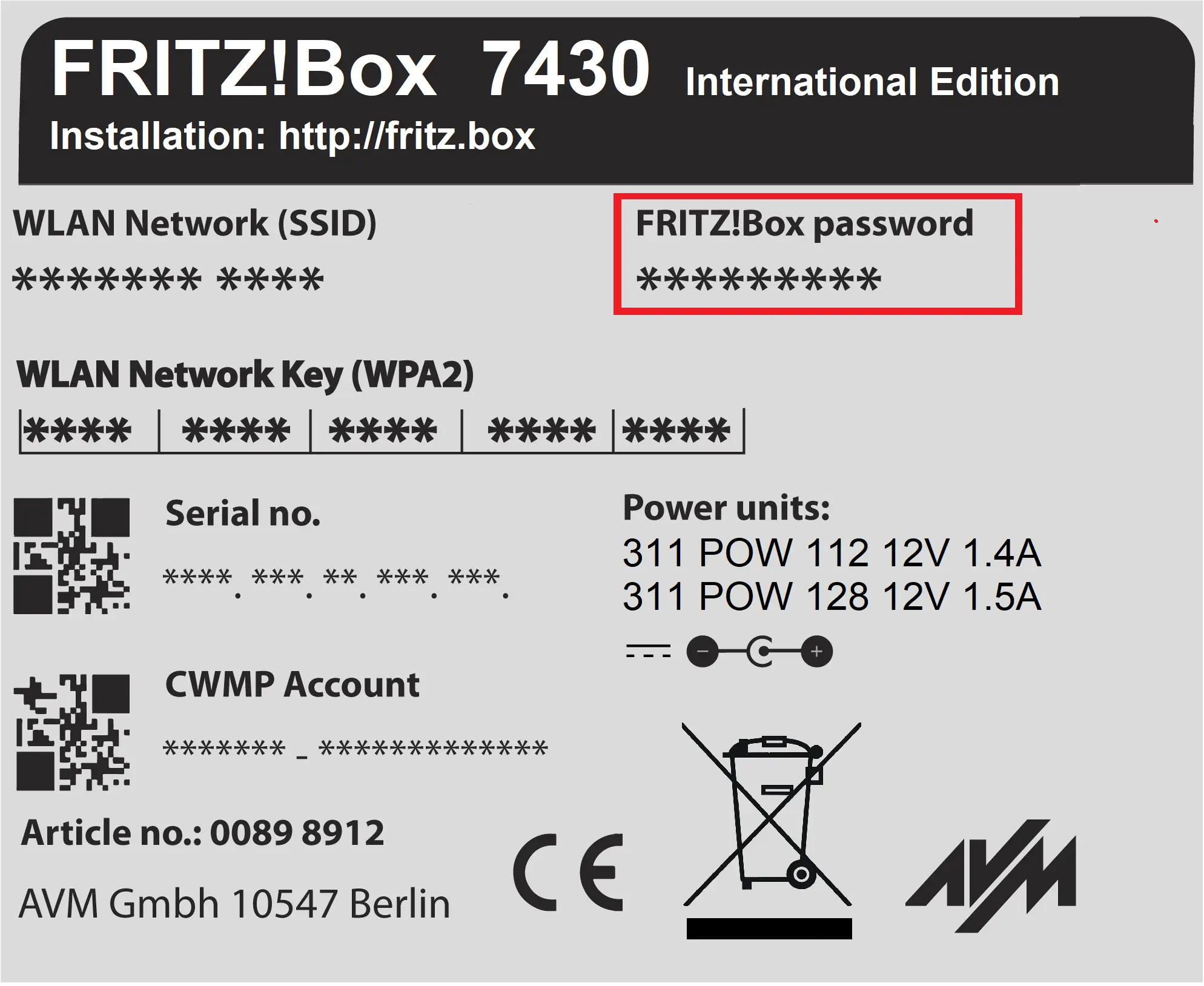
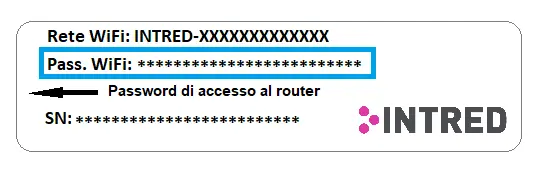
- The password for accessing the router is on the left-hand label, next to FRITZ!Box Password.
WIFI PASSWORD
- The password for the WiFi network is on the white right-hand label, next to Pass WiFi.
PORTS
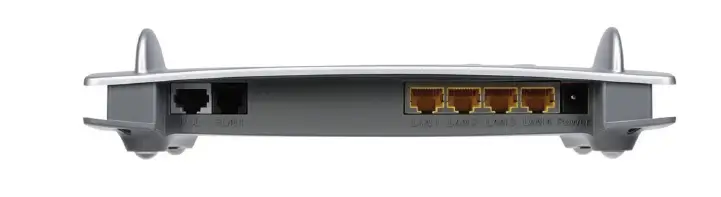
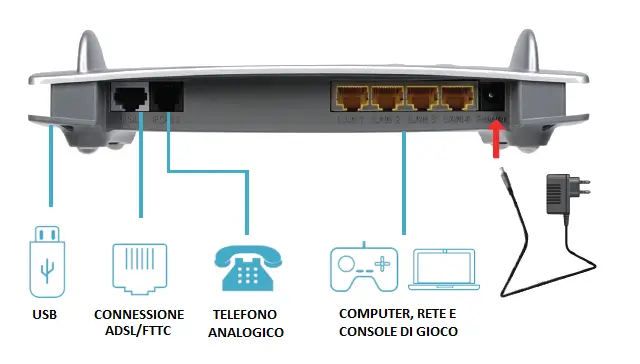
- DSL: port for connecting to ADSL/FTTC.
- FON 1: RJ11 socket for connecting an analogue telephone or another analogue terminal device (if included in the contract).
- LAN 1 - 4: four Ethernet ports for connecting computers and other network devices.
- USB: USB port for sharing local files.
CONNECTING THE CABLES
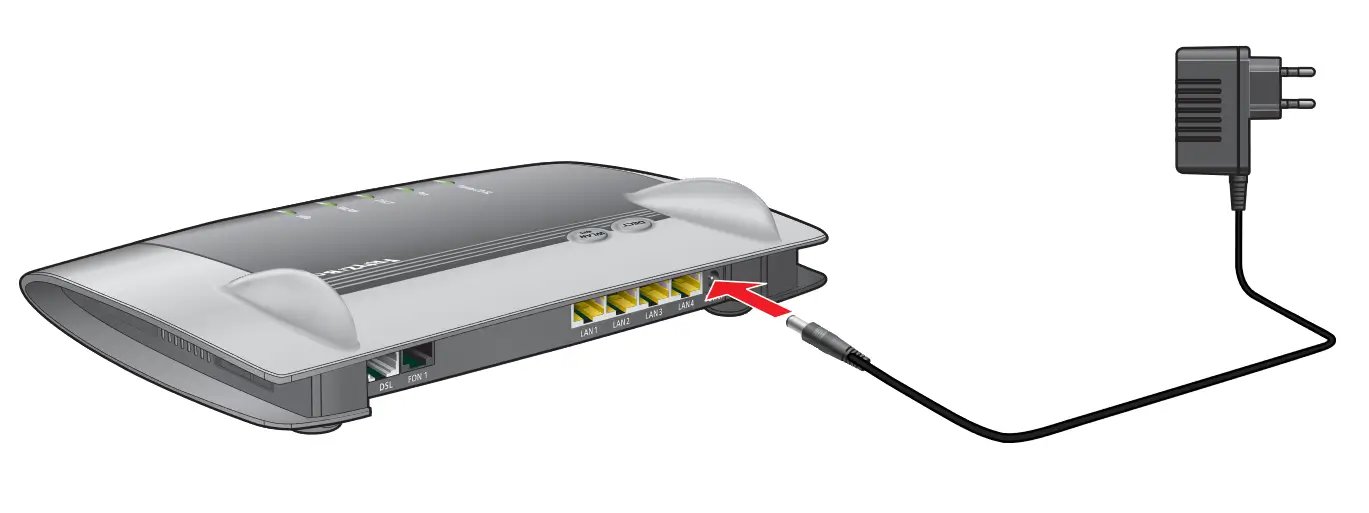
POWER PORT: connection to the mains
- Take the power supply provided with the FRITZ!Box router.
- Connect the power supply to the power socket of the FRITZ!Box router.
- Plug the power supply into the mains socket.
- The Power/DSL light will start flashing.
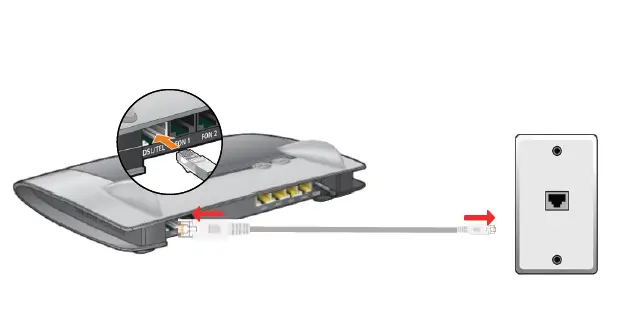
ADSL and FTTC
- Connect the wider end of the DSL cable provided (grey) to the DSL socket of the FRITZ!Box.
- Connect the narrower end of the cable to the telephone socket and wait for the Power/DSL light to stay steadily on.