





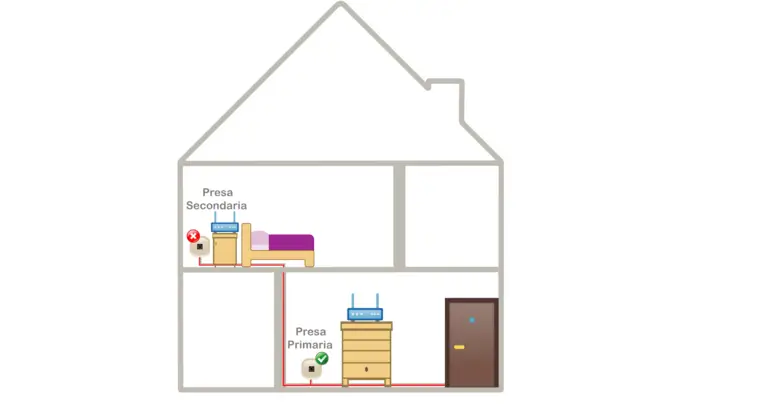
To get the most out of your connection, try to connect the modem-router to the first telephone socket (primary/main socket) and, at the same time, in the most central position possible in your home. Also choose a position with good visibility to all the rooms in the house and, at the same time, to all the various devices you usually use.
The main socket is the first available entry point from the street. For new lines, the technician usually tells you during service activation which is the main socket to connect the modem to. If, on the other hand, your telephone wiring is quite old, or you have had other operators in the past, the modem-router may not be connected to the main socket. In this case, we recommend identifying the first socket with the help of an electrician and connecting the modem-router to it. In fact, positioning the router on a secondary socket may cause problems strictly related to the internal wiring, resulting in a drop in signal.
Please remember that Intred guarantees that the service works correctly up to the main socket.
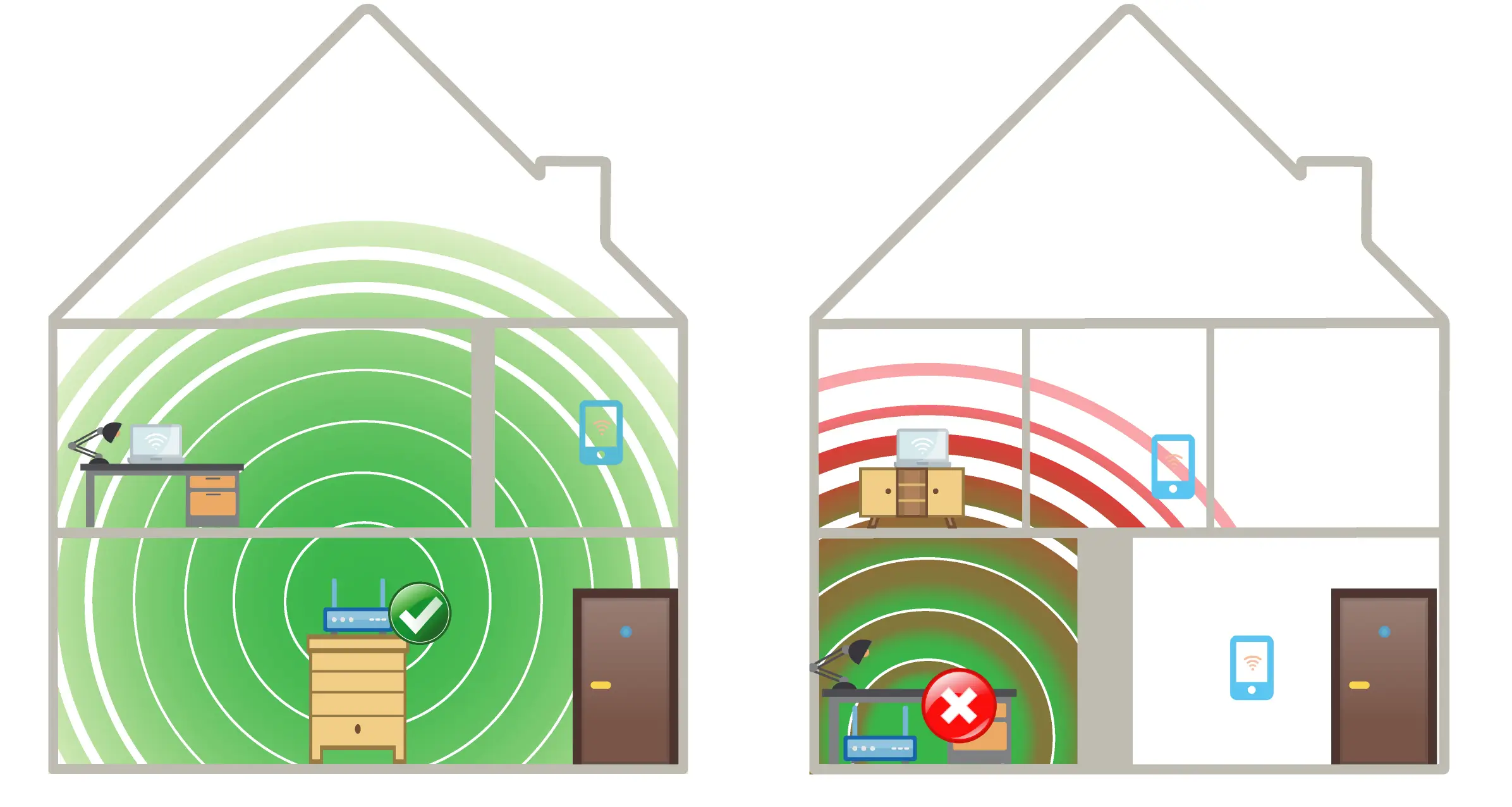
Once you have identified the ideal position for the modem-router, you should if possible place the modem away from other electronic devices and at least one metre above the floor, in a spot where the signal can reach all rooms with as few obstacles as possible. For example, if the wireless signal has to pass through thick reinforced concrete walls or metal structures, these can weaken or prevent the proper propagation of the signal, effectively hindering communication between the connected devices and the modem-router and resulting in weak or no connectivity.
If your home is large or spread over several floors, it is normal for the router not to be able to cover every part of it. In this case, you can buy devices (Wi-Fi Extenders/Repeaters) whose specific job is to pick up the signal and relay it to the furthest points. Always bear in mind that the signal reaching the repeater must be strong: if the signal reaching the repeater is already weak, it will become even weaker once relayed. To choose the device best suited to your needs, please ask the retailer you intend to buy it from.
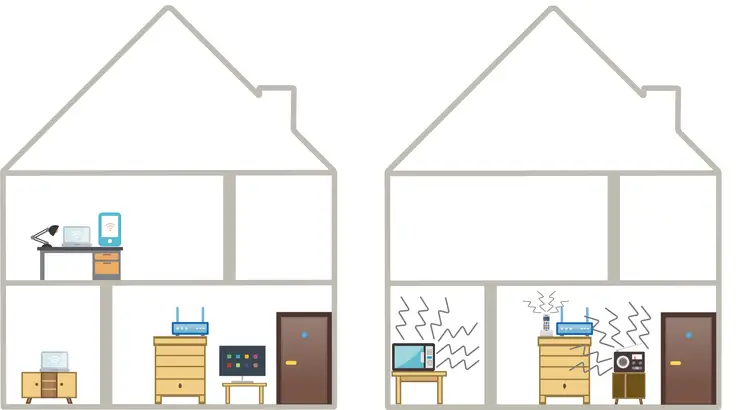
The electronic devices that cause the most interference with the wireless signal are microwave ovens, cordless phones and wireless audio/video transmitters.
If the signal is disrupted, you can try switching these devices off one at a time and, if the signal improves, try moving them away from the modem-router. If the signal is still disrupted, the wireless transmission channel on which the modem-router is transmitting may be subject to interference. It may therefore be necessary to change the transmission channel. In this case, access the router’s configuration panel and set the least congested transmission channel.
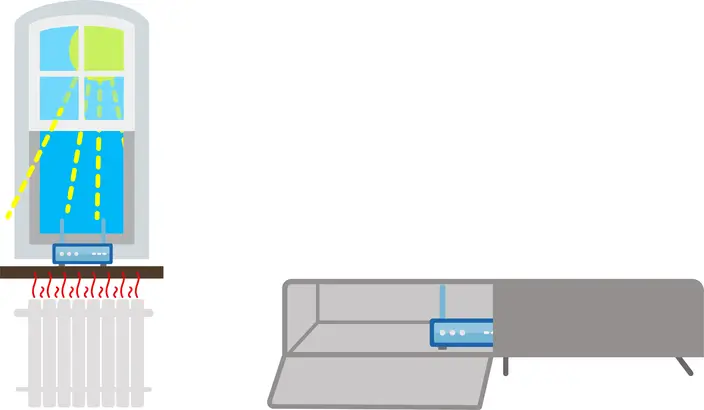
Finally, avoid placing the router near external walls and/or windows, shut inside shelves or furniture, near heat sources such as radiators, or in small, closed rooms. In these cases, the router could overheat, causing the device to malfunction or the signal to be lost.
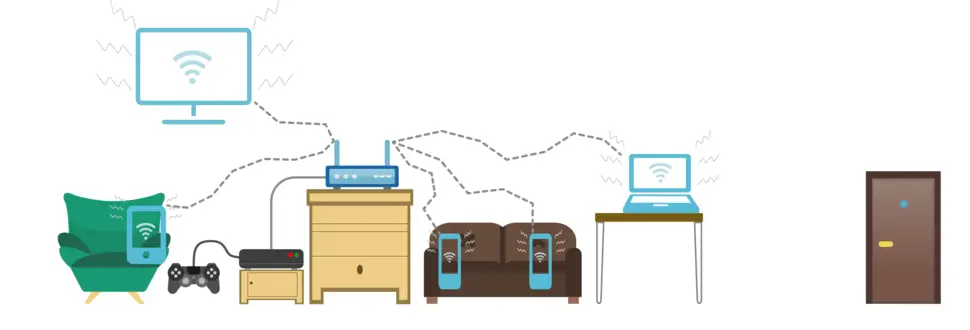
Bear in mind that having many devices close to each other (Smart TVs, tablets, smartphones), all connected at the same time, can cause interference between the devices themselves. If several people are using the wireless connection from different devices close to each other, interference may occur, degrading wireless performance.
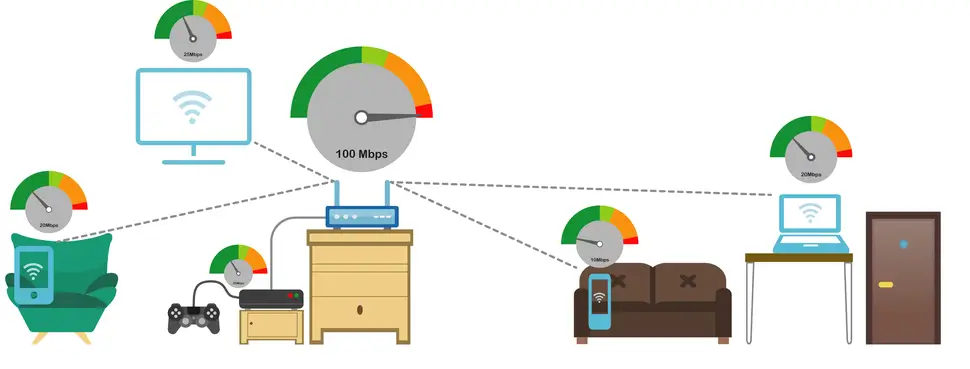
The total bandwidth available on your connection is also shared among the various devices that are browsing.
As a result, using many devices at the same time reduces the speed at which those devices browse. If some devices are already using a certain amount of bandwidth, running a speed test from the others will therefore give results lower than the actual capacity of your line.
Finally, we recommend using devices with latest-generation Wi-Fi cards, or at least cards updated to the most recent versions. Wi-Fi cards are electronic boards inside PCs, tablets and smartphones that allow them to connect to the network via Wi-Fi. An older device, or one that does not perform perfectly, can in fact reduce browsing performance, and the connection may be slow.
Alternatively, for older devices or for those that need a lot of bandwidth and stability, such as consoles or Smart TVs, you can connect to the router with an Ethernet cable to rule out all the problems described above.