






WARNINGS
- To use the router, use the power supply provided or a device compatible with the electrical specifications of the unit.
- NEVER restore the router to factory settings with a reset. Doing so could mean the router has to be replaced.
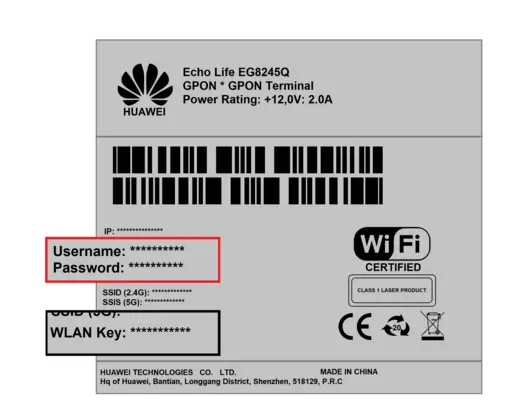
- The password for the Wi-Fi network is on the label on the back of the device, next to WLAN Key.
- The username and Password for accessing the router are next to the corresponding Username and Password entries.
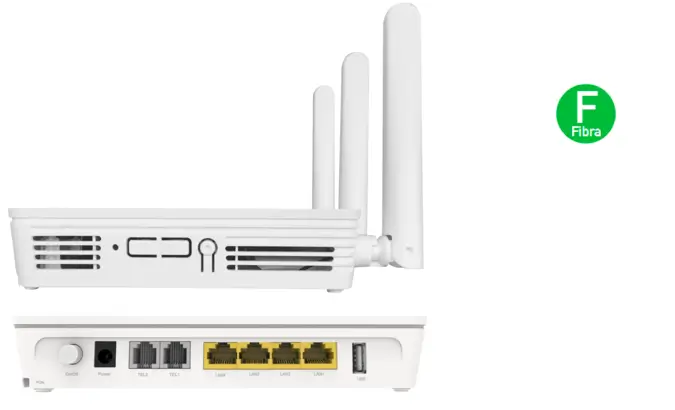
PORTS
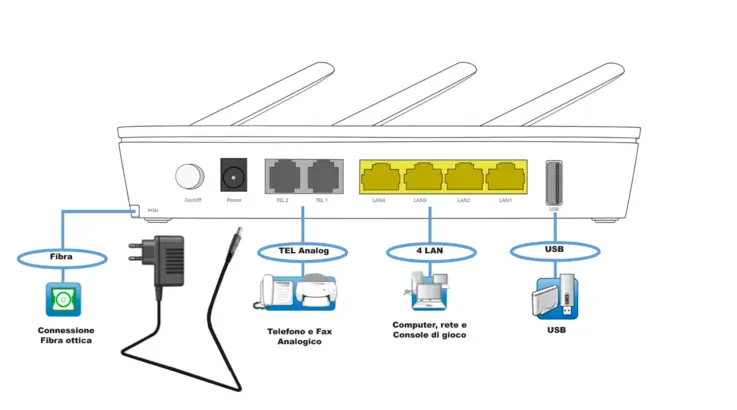
- Fibre (green): port for the fibre connection via the green connector. The port is located underneath the router.
- Tel 1: RJ11 socket for connecting an analogue telephone or another analogue terminal device (if included in the contract).
- Tel 2: not usable.
- Lan 1-4: four Ethernet ports for connecting computers and other network devices.
- USB: USB port for sharing local files.
CONNECTING THE CABLES
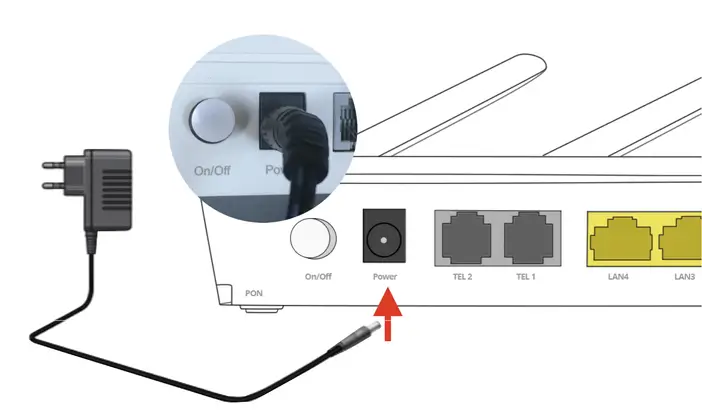
POWER PORT: connection to the mains
- Take the power supply provided with the HUAWEI router.
- Connect the power supply to the power socket of the HUAWEI router.
- Plug the power supply into the mains socket.
- Press the On/Off button: the POWER light will come on.
WALL OPTICAL PORT: fibre optic connection
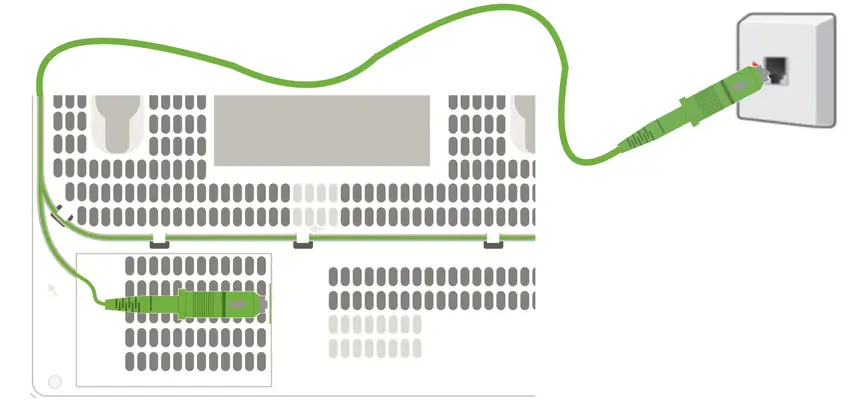
- After removing the protective cap from the green connector, insert one end of the cable into the optical port installed by the technician during installation.
- After removing the protective cap from the other end of the green connector, connect it to the green fibre port underneath the router, trying to fit the cable into the groove and following the path shown by the arrows (as shown in the figure).
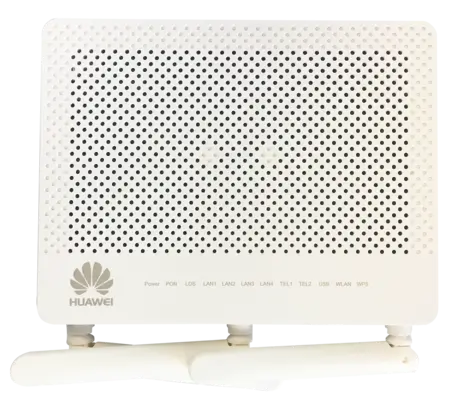
BUTTON FUNCTIONS
LEFT SIDE
- WLAN: switches the Wireless network on and off.
- WPS: creates the connection with WPS.
- LIGHT: switches the LEDs on and off.
BACK
- On/Off: switches the device on and off.
LED | STATUS | MEANING |
| POWER | On | Power available |
| PON | On | Line present |
| LOS | Flashing | No line |
| TEL 1-2 | On | No line |
| LAN 1-4 | Flashing | Data transmission with a device connected by cable |
| USB | On | USB port for sharing local files |
| WLAN | On | Wireless network active |
| WPS | Flashing | WPS pairing in progress - Can be enabled via the web interface (Disabled by Default) |